
The desktop app
The app has three tabs and a settings gear. Most days you only need the first one.
| Tab | What you do there |
|---|---|
| Scan | Check this computer, read what was found, and fix it |
| Secrets | See which tools hold your credentials and how each is stored |
| Tools | Deeper checks: other machines, file changes, malware scan, the full list of checks |
New here? Get started in five steps.
Screenshots on this page use sample data.
Scan
Scan now checks your AI coding agents, MCP servers, keys, stored credentials, developer tools and the computer itself. It takes a few seconds and only reads.
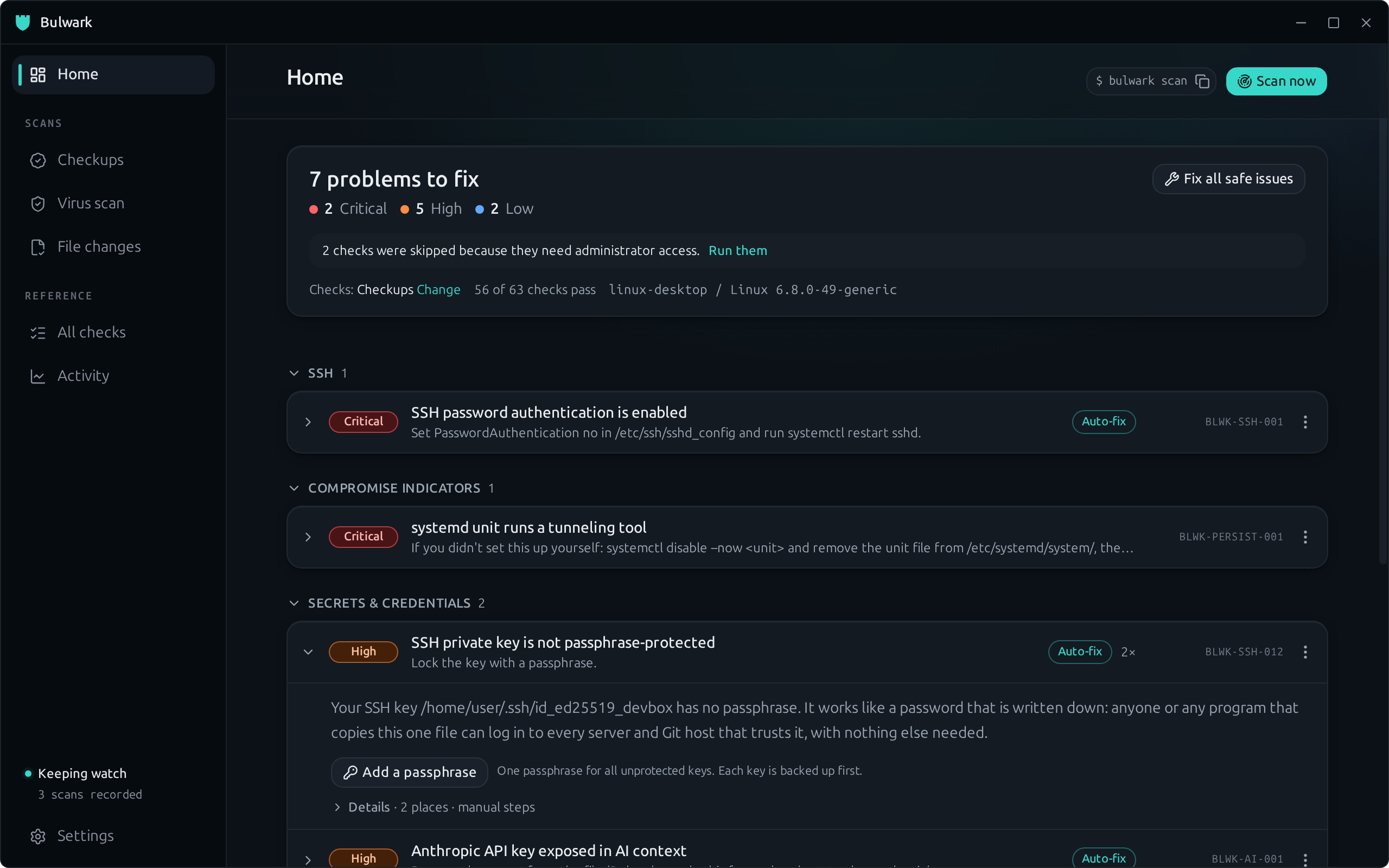
- Findings are grouped by what they protect and sorted worst first. Open one for what is wrong, why it matters and how to fix it.
- A check that could not run is shown as skipped, never as passed.
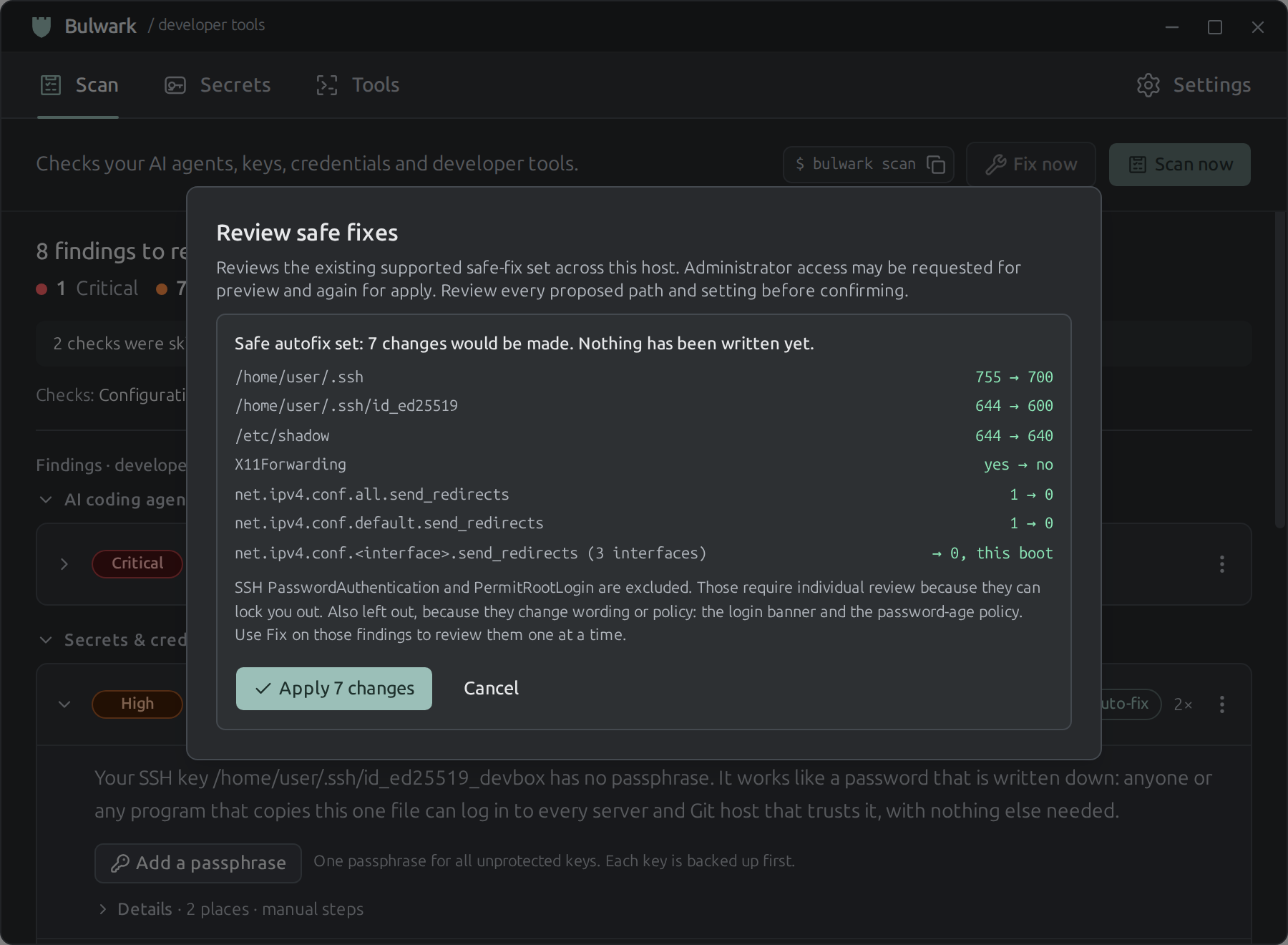
- Fix now previews every change before anything is written. You confirm, Bulwark applies, and a new scan proves it worked. How fixing works.
Secrets
One list of the credentials your tools hold: AWS, Docker, Git, GitHub CLI, npm, PyPI, Kubernetes and more. Each row shows a name and where it is stored. Bulwark never reads, shows or copies a secret value.
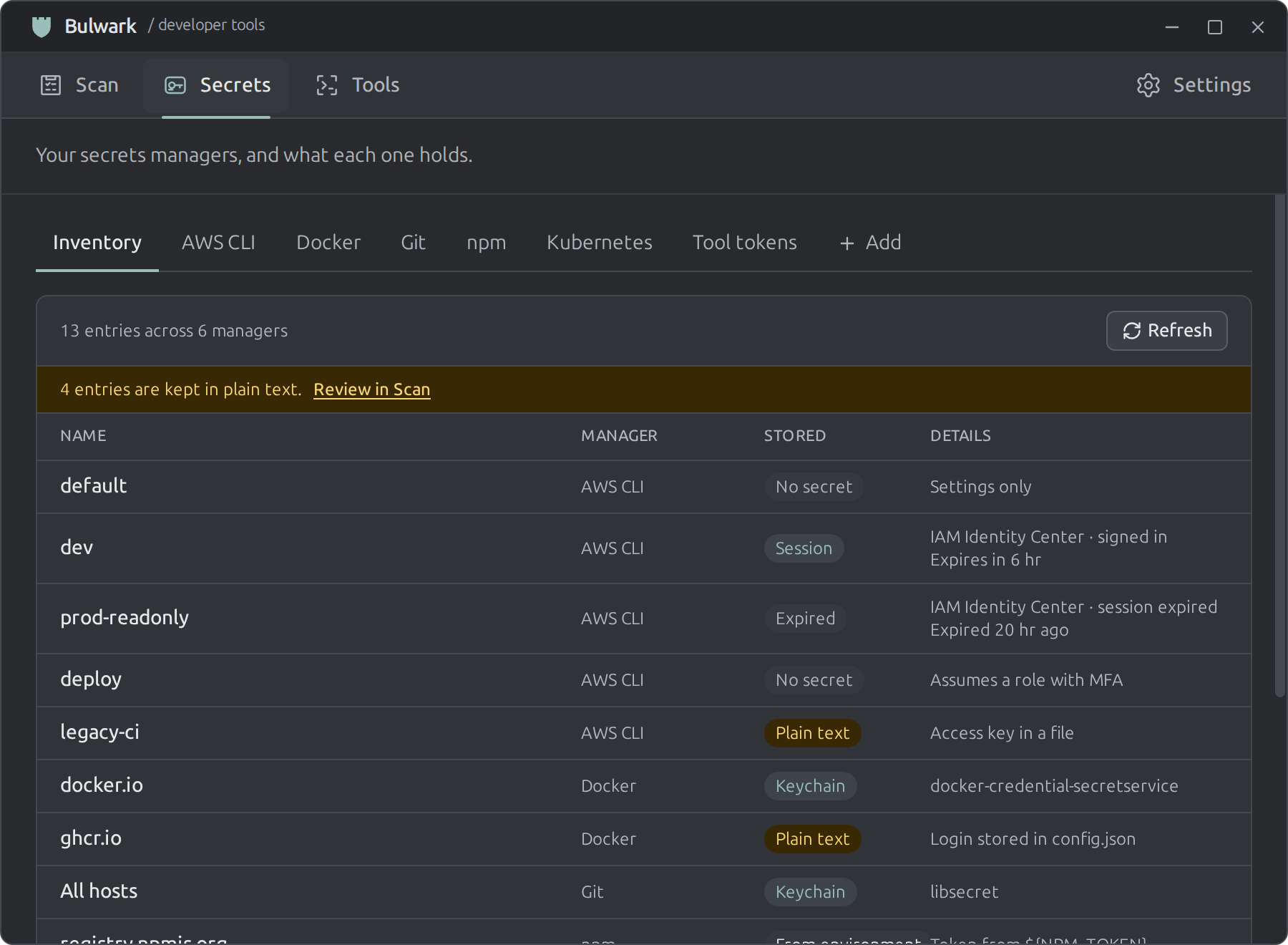
- The first time you open Secrets, it adds a tab for every tool it finds on this computer and reads them. It reads again each time you come back.
- Keychain and Session are good. Plain text means the secret sits in a readable file; Review in Scan takes you to the finding and its fix.
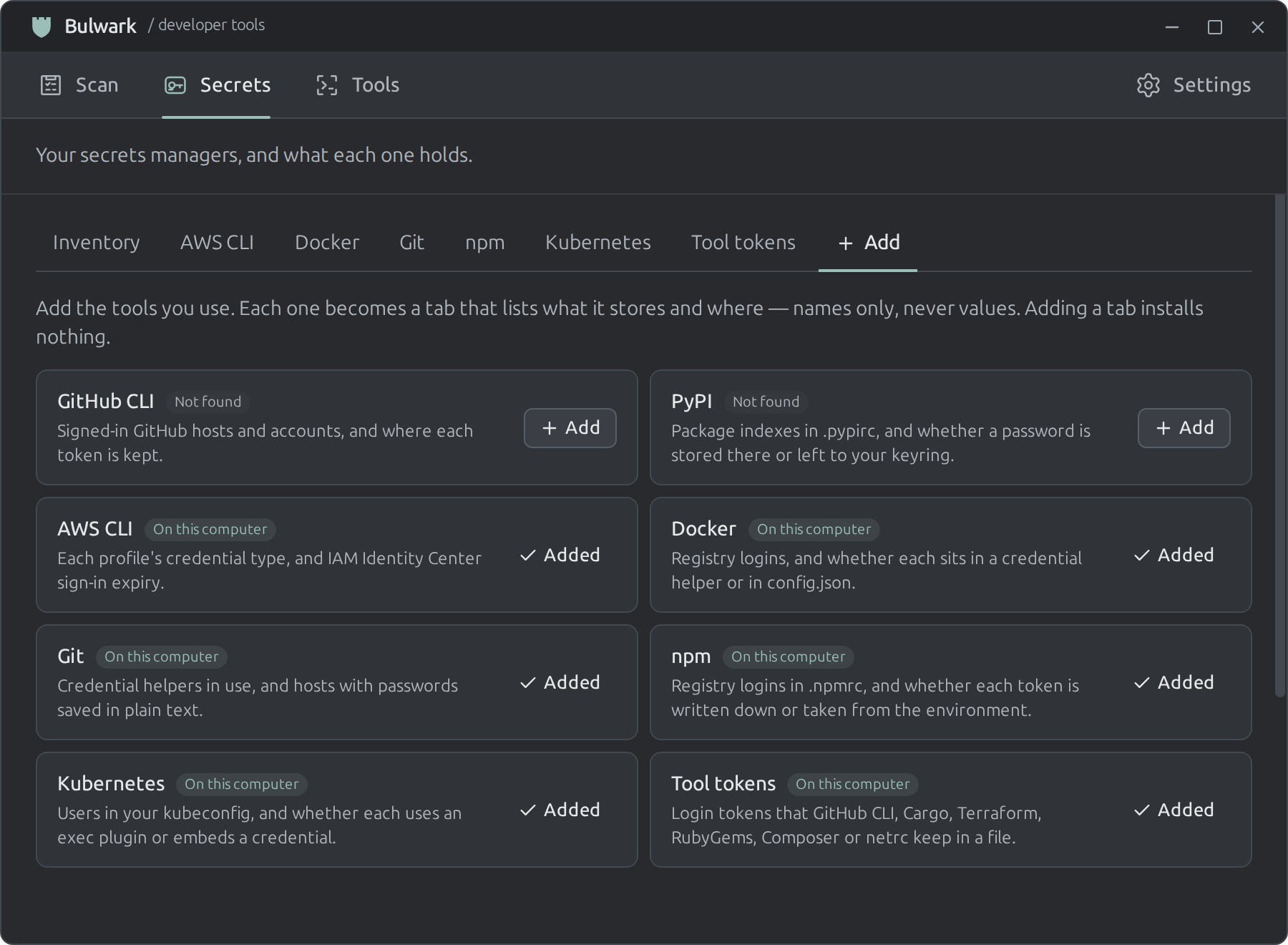
- Add lists every supported tool. Adding a tab installs nothing.
The Secrets guide covers each tool.
Tools
The checks you need less often, one click away.
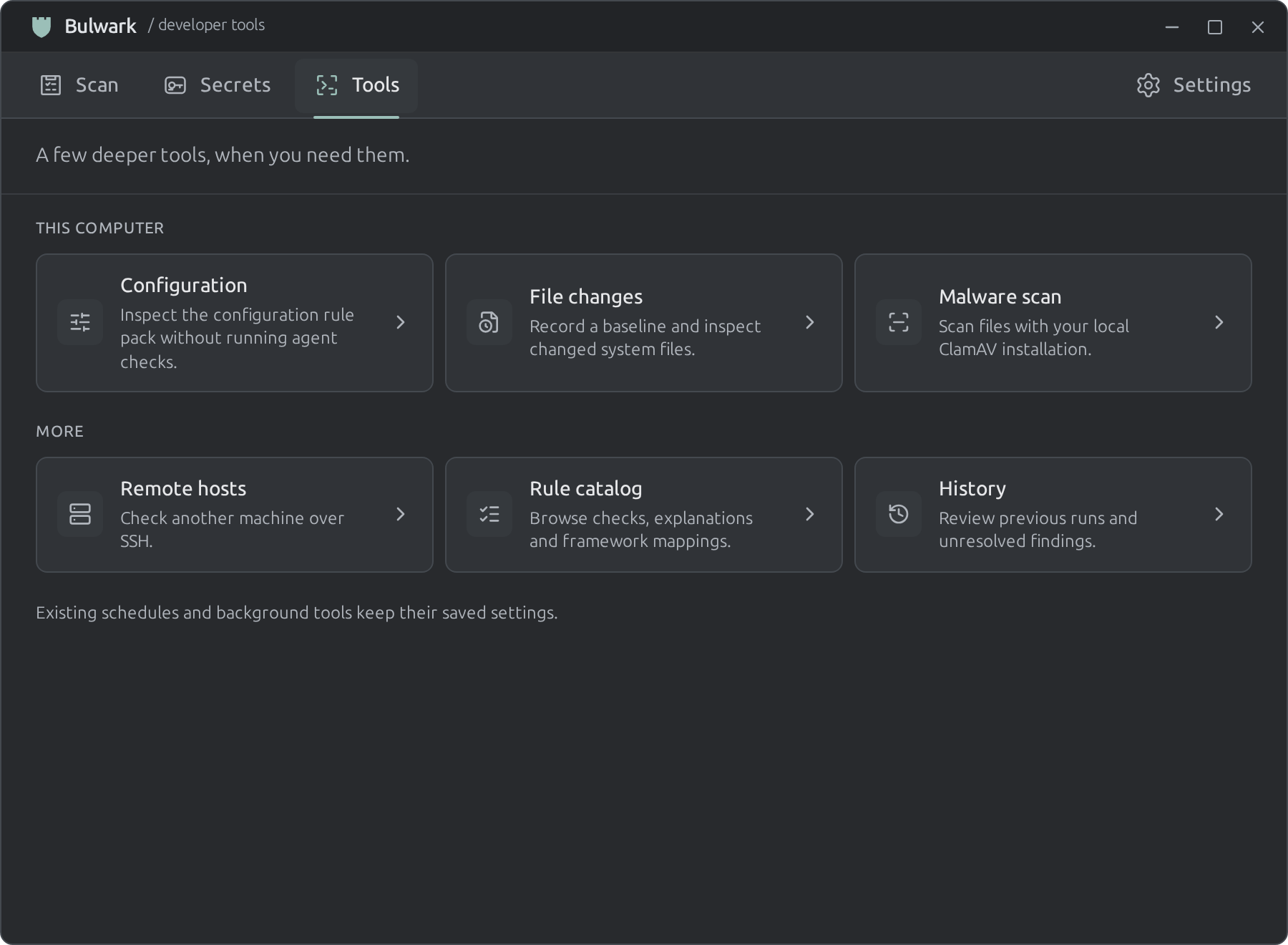
| Tool | Use it to |
|---|---|
| Configuration | Run only the settings checks, without the AI-agent checks |
| File changes | Record a baseline of key system files and see what changed since |
| Malware scan | Scan files with ClamAV, if you have it installed |
| Remote hosts | Check other machines over SSH. Guide |
| Rule catalog | Browse every check, turn checks off, and add your own. Guide |
| History | See past scans and how the number of open problems changed |
Settings
Theme and colours, automatic re-checks, AI-agent check options, alerts by Telegram or e-mail, and one-click SSH key protection. A section list on the left jumps to each part.
Good to know
- Everything runs on your computer. Bulwark connects out only if you set up remote machines or alerts.
- The window is small on purpose (it works down to 720 pixels wide), with light and dark themes, full keyboard support and no distracting animation.
- Linux, macOS and Windows. Open source under Apache-2.0.